Boat Control Display
Speed, power, battery and range at a glance. A touch interface that adapts to different screen sizes and brings your electric boat motor, battery, charging and alarms together on a single helm display.
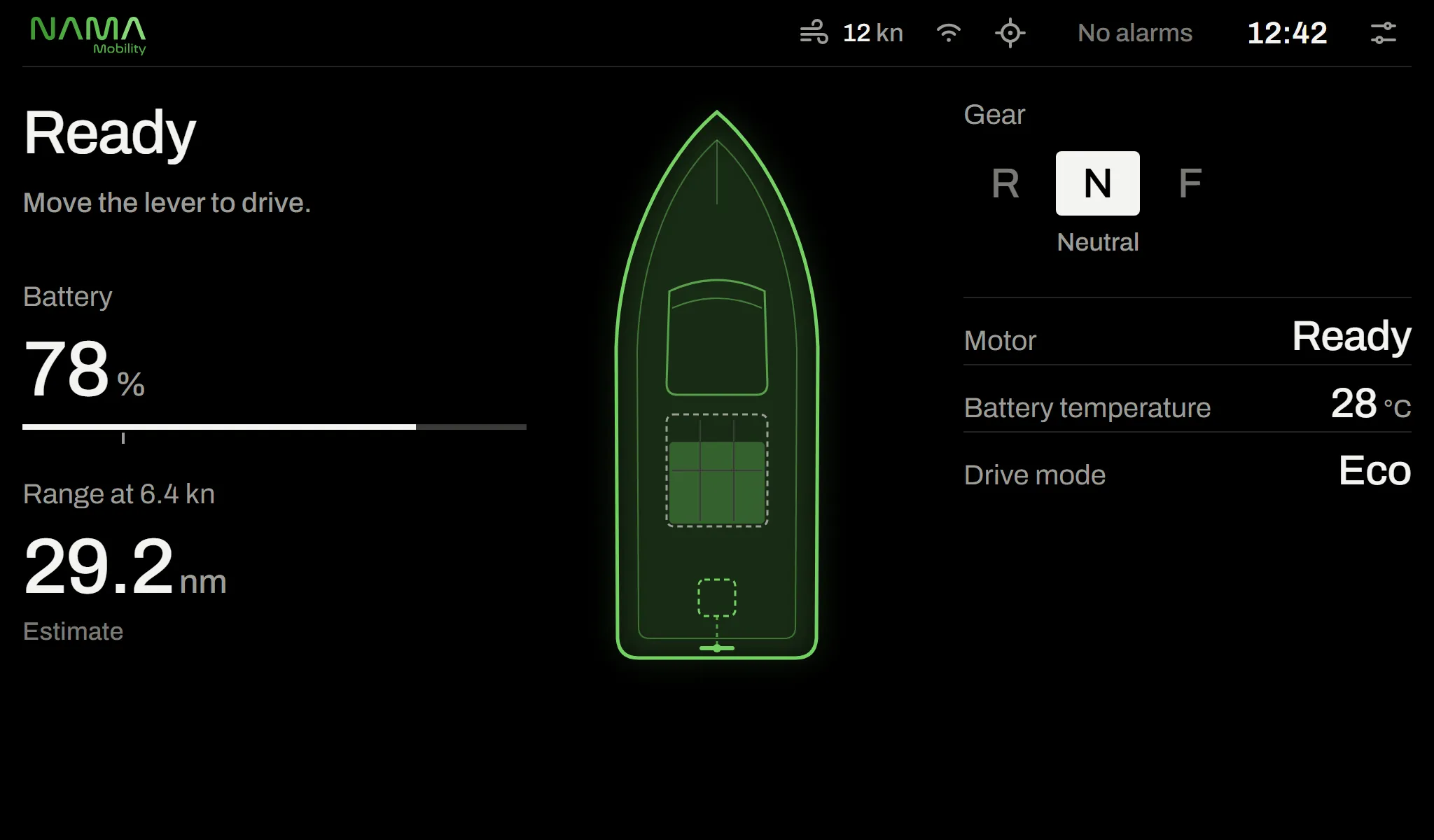
The display at a glance
- Display
- Responsive, works with most screens
- Input
- Touch and physical keys
- Colour palettes
- Day, dusk, night
- Compatibility
- INB, OUT, POD, SAIL, STERN
- Languages
- 14 languages
Interface
Everything the skipper needs to know, right where it belongs.
The speed dial and direction indicator stay in the same place on every page; only the right-hand side changes. The boat’s digital twin shows a problem exactly where it is.
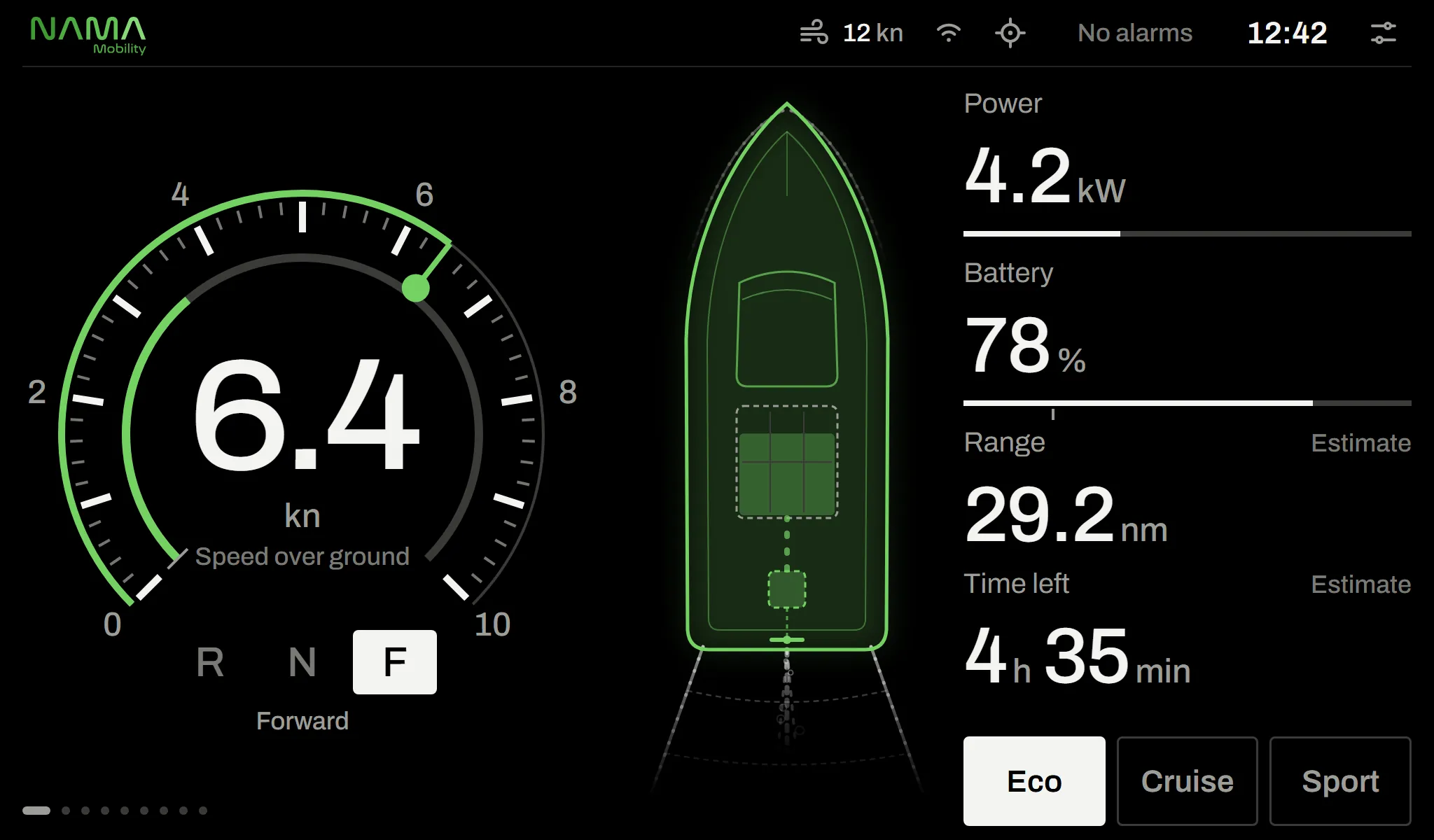
01 · Drive
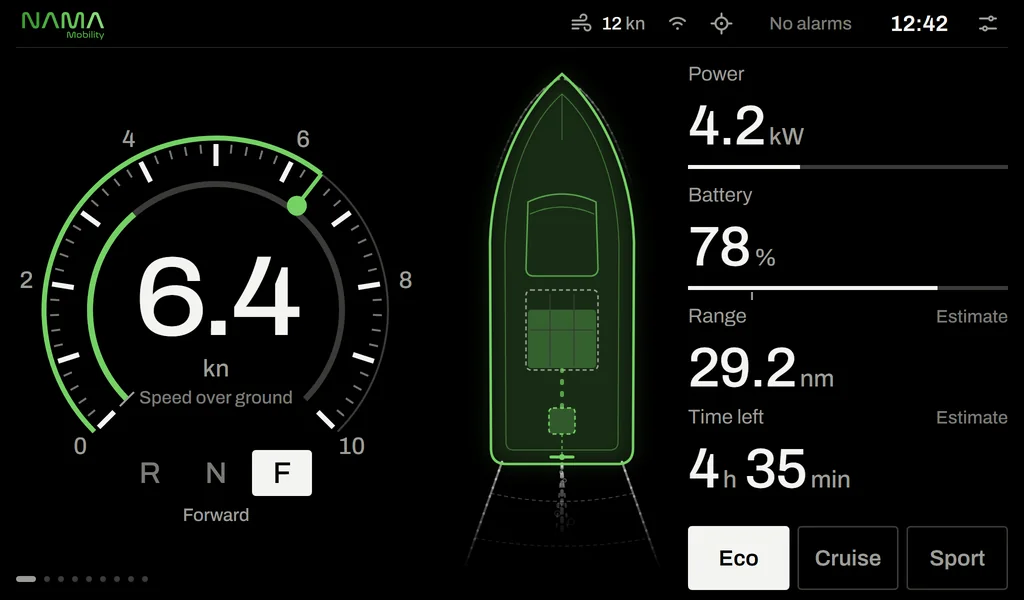
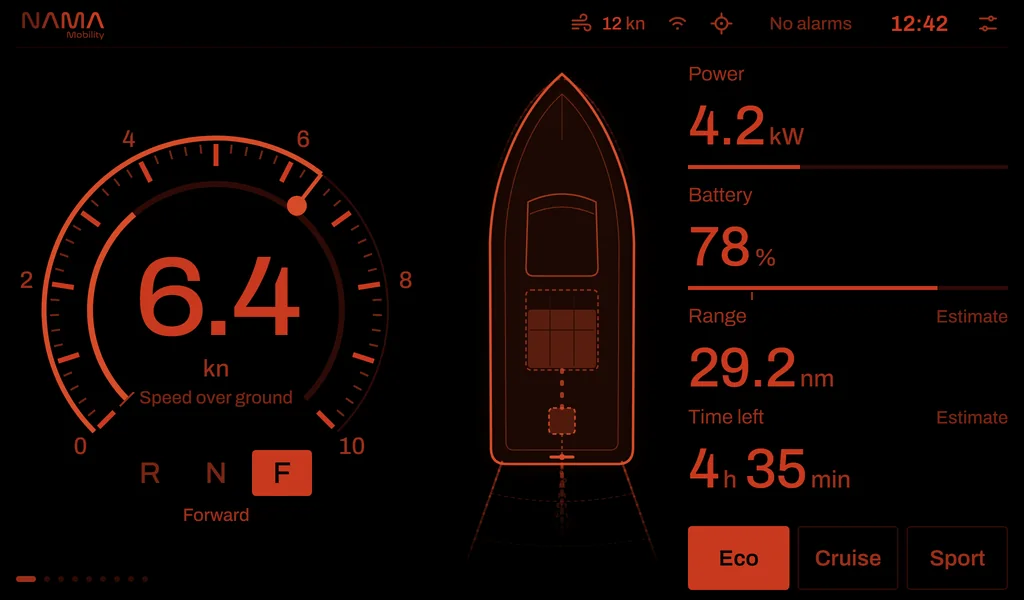
A drive screen you read at a glance
Speed over ground and direction (forward / neutral / reverse) on the left, the boat’s digital twin in the middle, power, battery, estimated range and time left on the right. Numbers are large, units small: the skipper reads the number.
- Eco, Cruise and Sport drive modes with one touch
- Range and time estimates follow live consumption
- Estimated values always carry an “Estimate” label
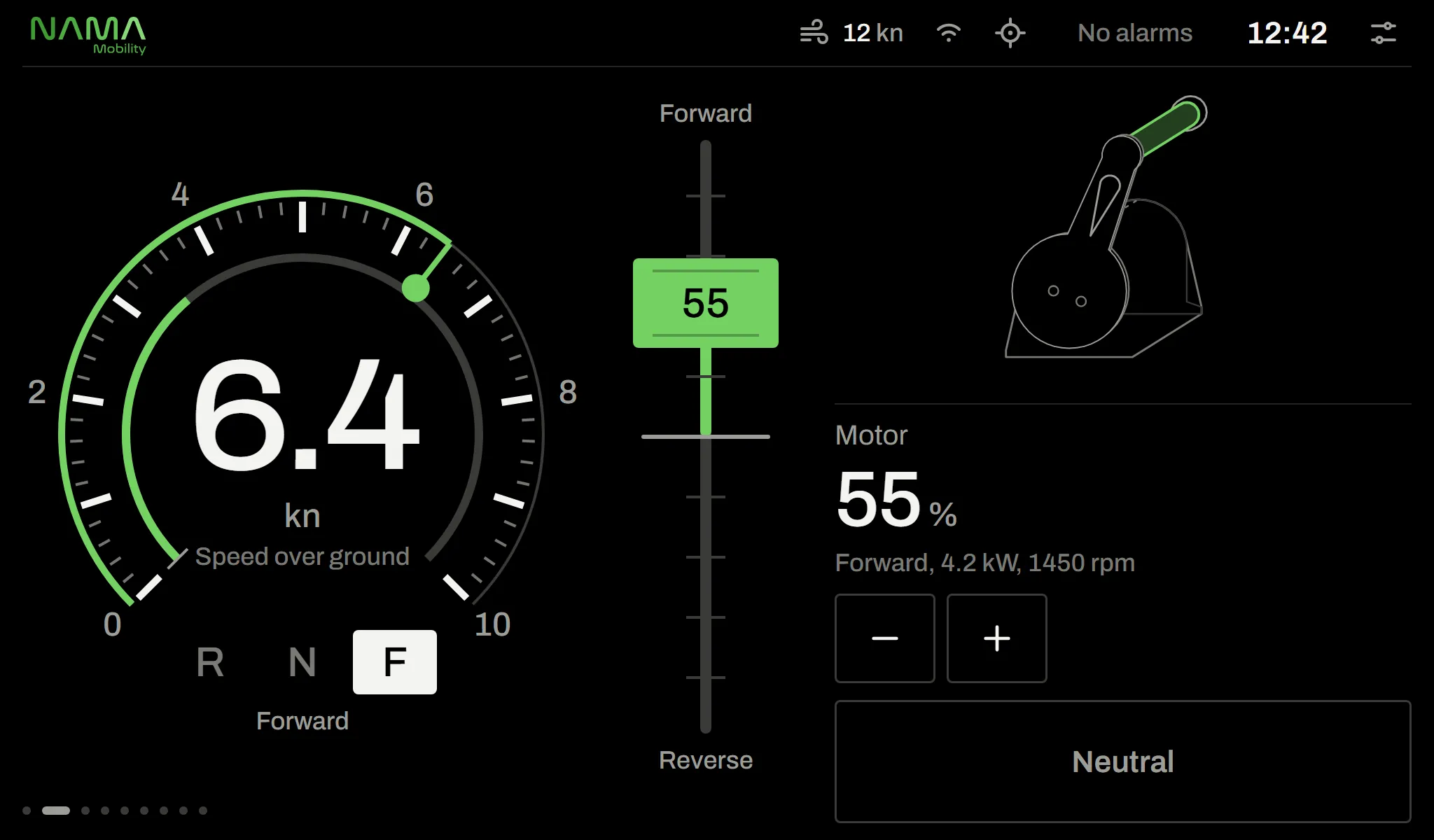
02 · Throttle
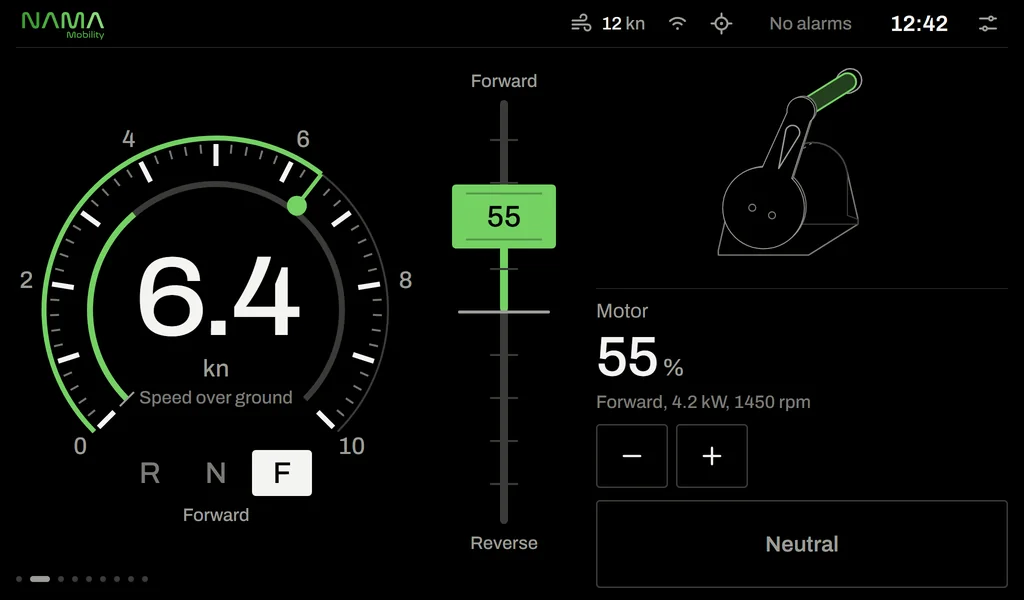
Throttle and direction without leaving the helm
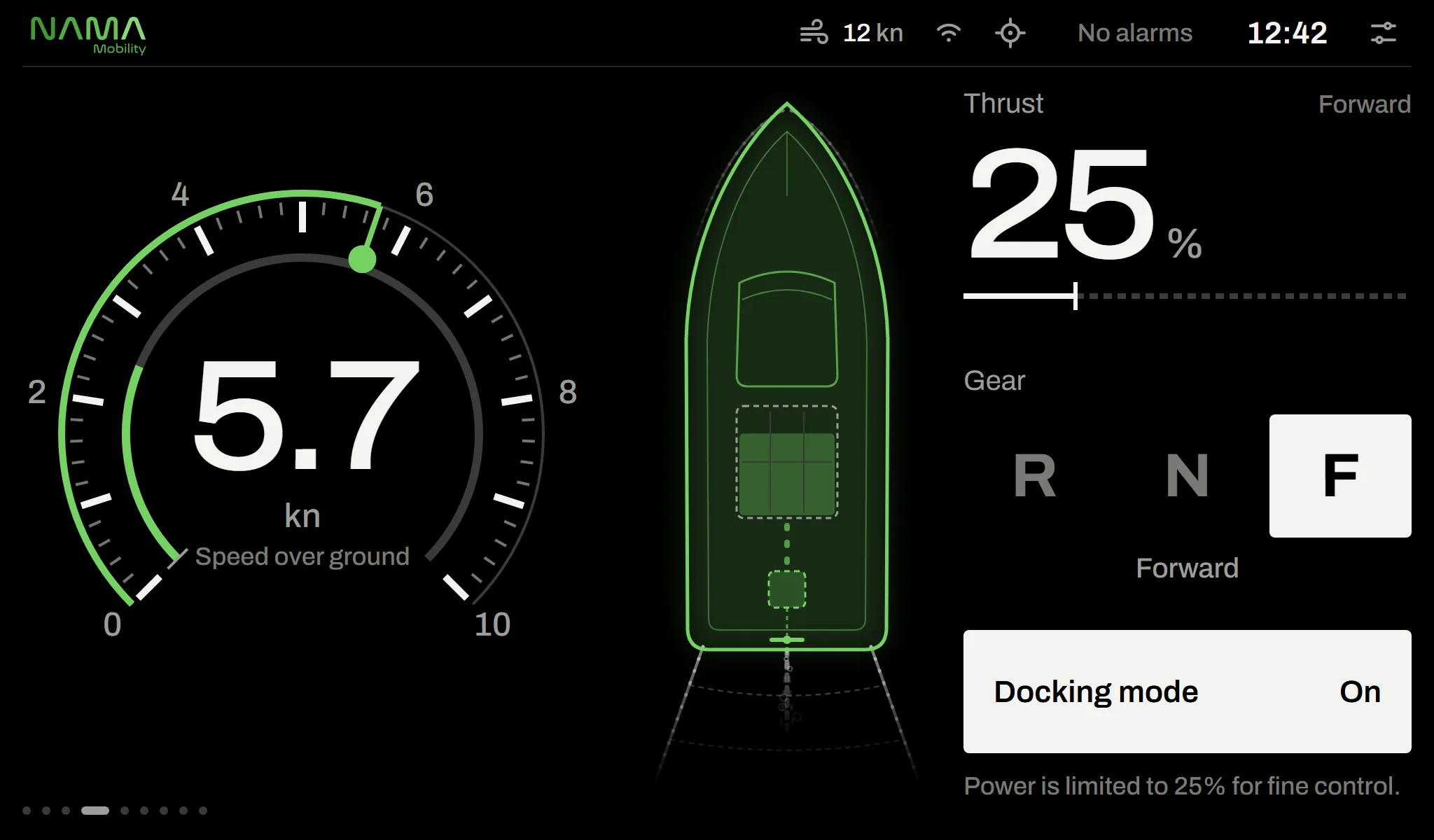
Alongside the physical lever, throttle can also be used from the screen. The lever moves only by its handle; forward to reverse never happens in one move, and “Neutral” is always one touch away.
- Moving the physical lever hands control back to it automatically
- If the link drops, the motor controller safely returns to neutral
- Single or split levers on single- and twin-motor boats
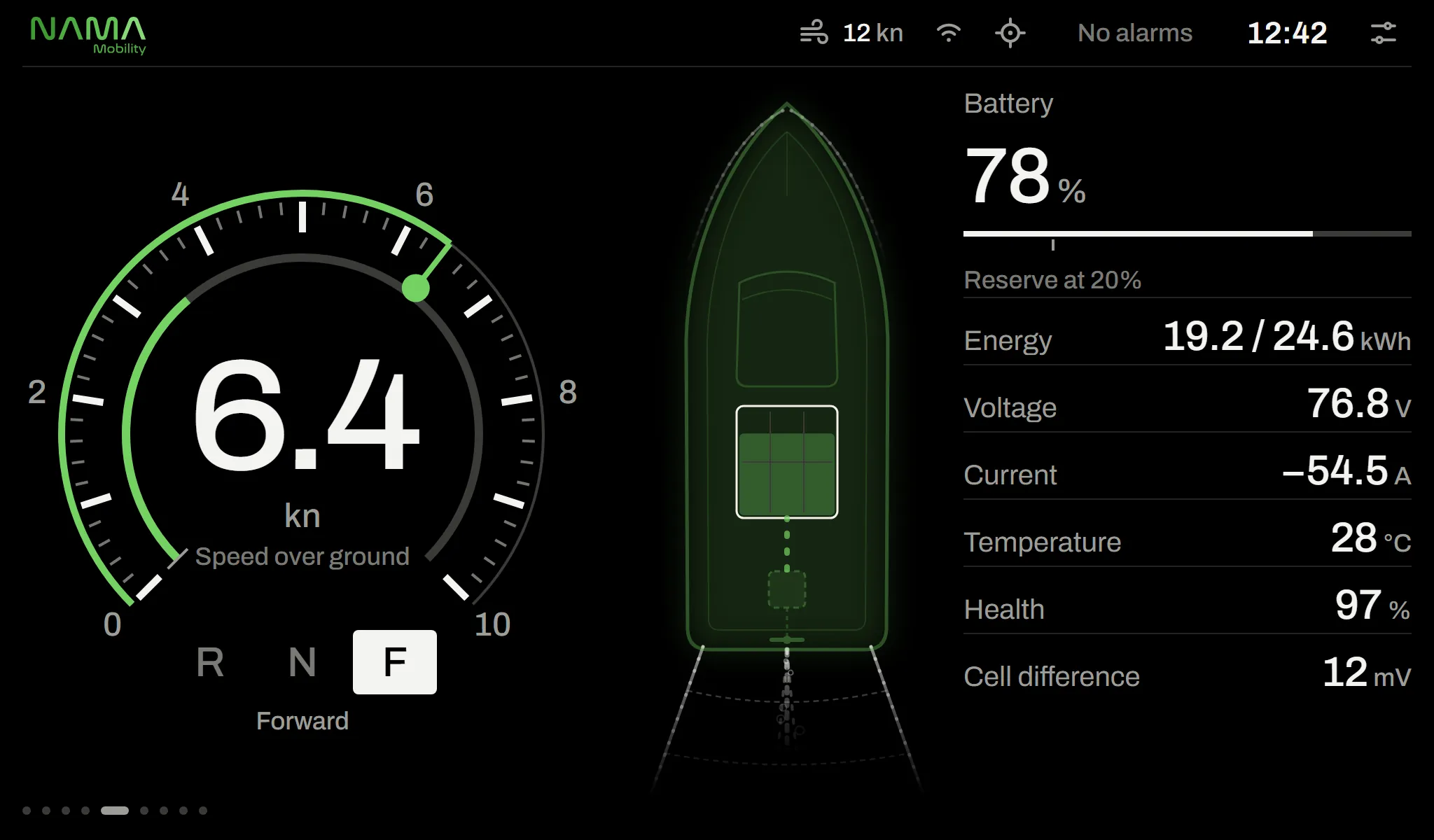
03 · Battery
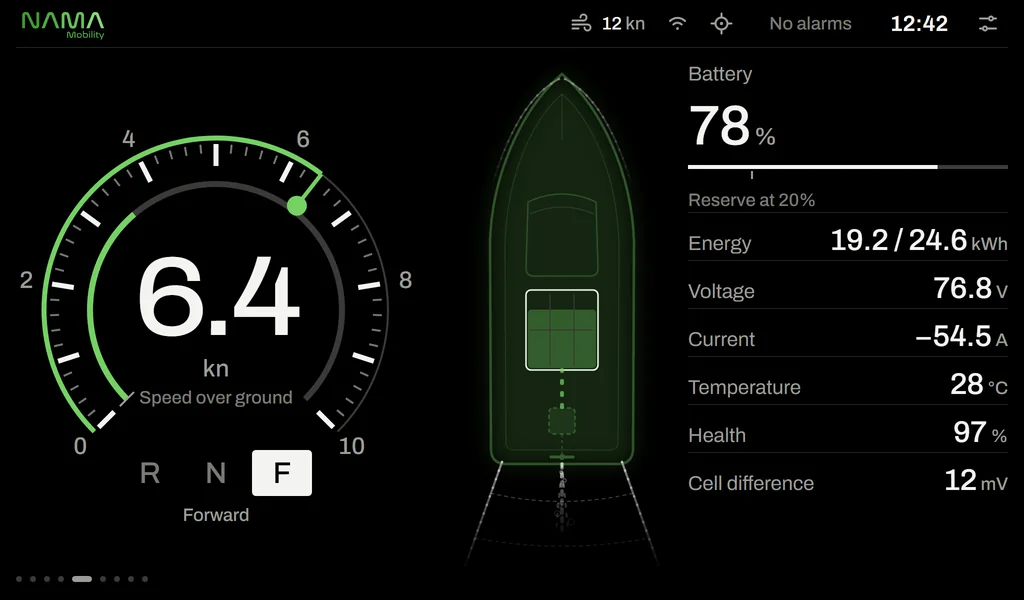
See inside the battery
Data from the battery management system (BMS) in one clean list: state of charge, remaining energy, voltage, current, temperature, battery health and cell-to-cell difference.
- Adjustable reserve threshold, marked on the scale
- Single or multiple battery banks
- The pack appears in the digital twin with its fill level
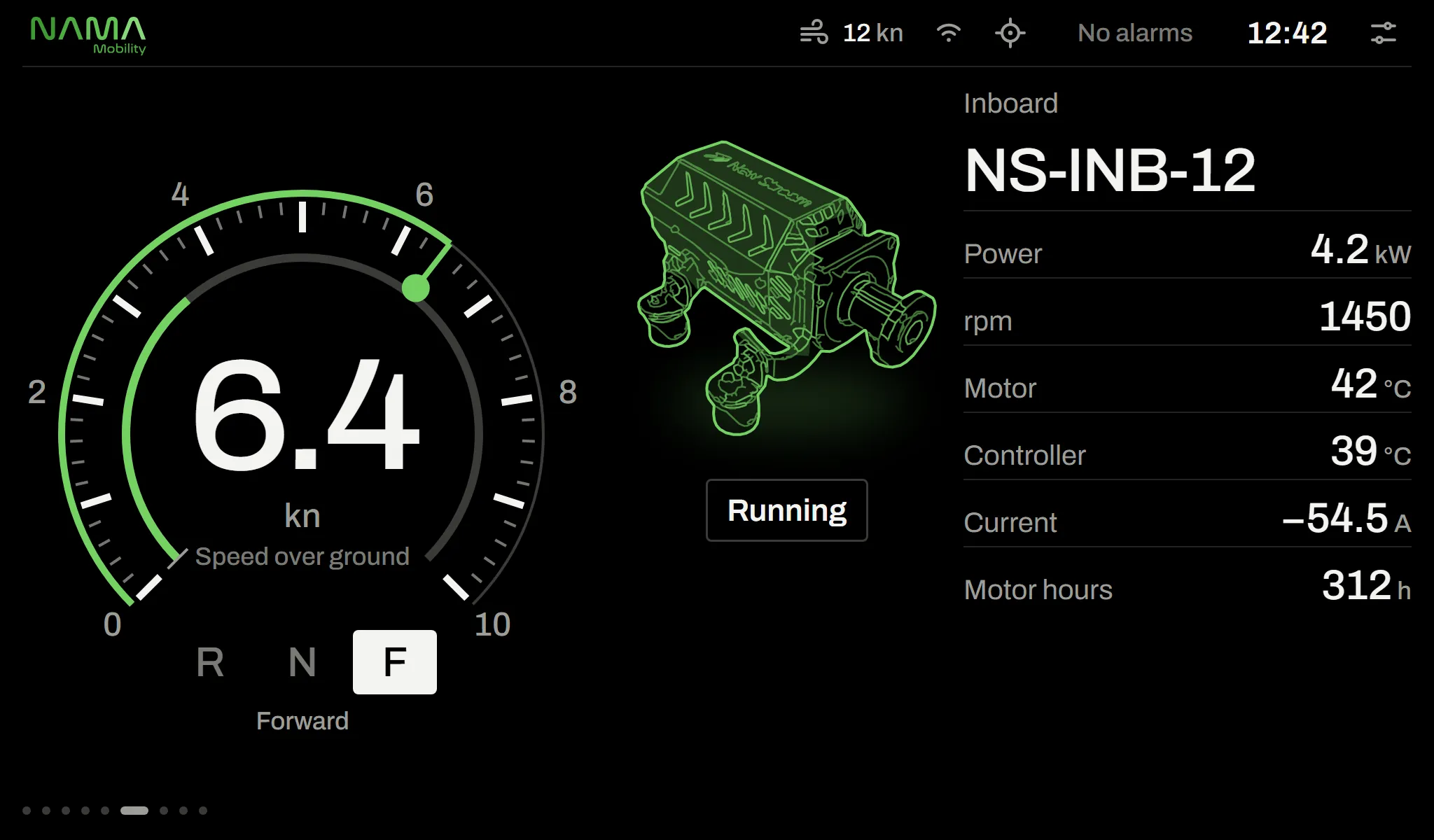
04 · Motor
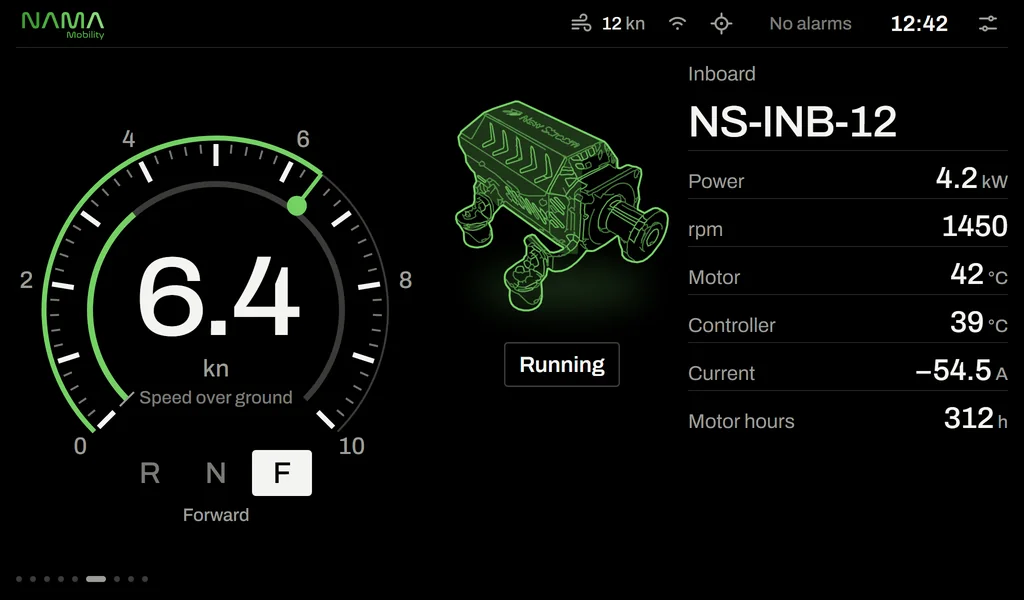
A display that knows the motor on board
The motor page shows the installed New Stream model by name and image. Power, rpm, motor and controller temperatures, current and running hours at a glance.
- Dedicated drawings for the INB, OUT, POD, SAIL and STERN families
- Single and twin motor layouts
- Service reminder based on running hours
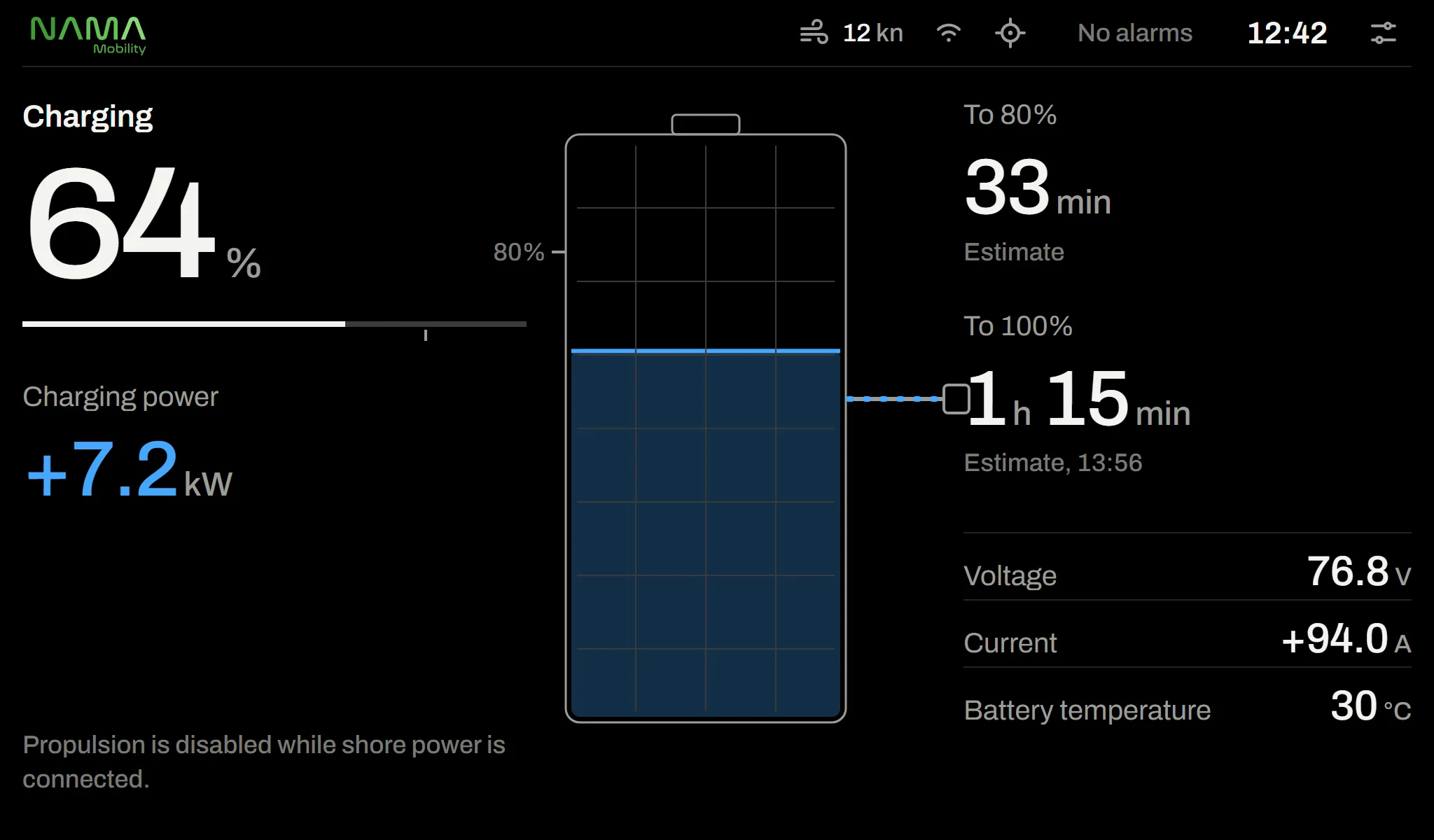
05 · Charging
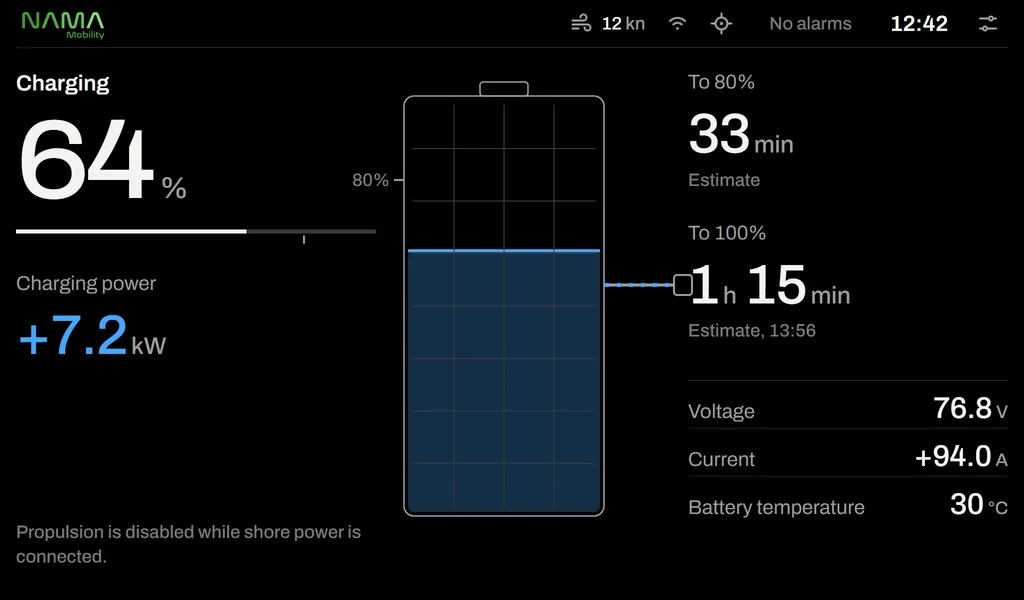
How long until it’s full?
Plug in shore power and the charging page opens by itself. Charging power, time to 80% and 100%, voltage, current and battery temperature are shown.
- Propulsion is locked while shore power is connected
- Limited, complete and fault states are spelled out clearly
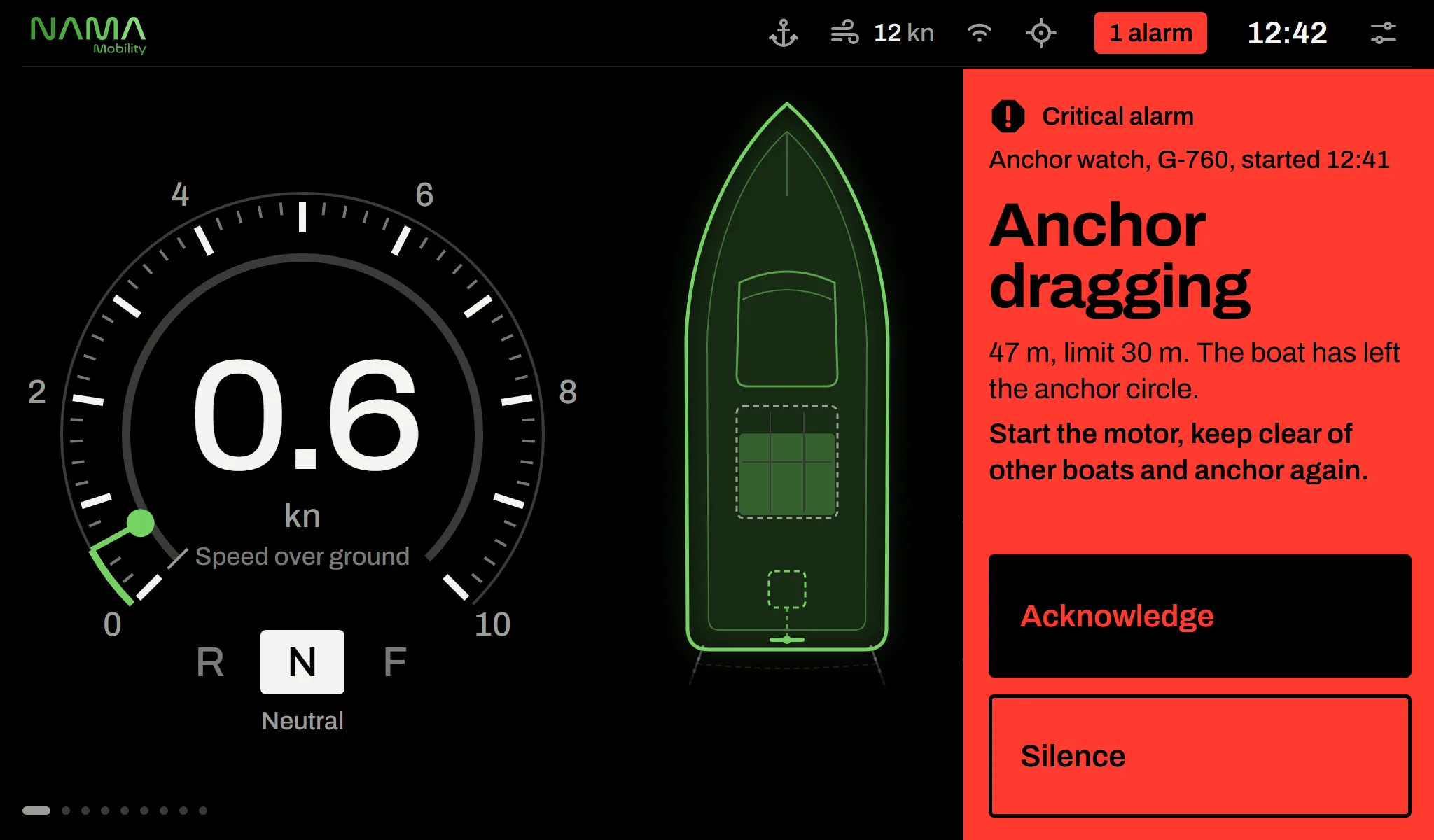
06 · Alarm
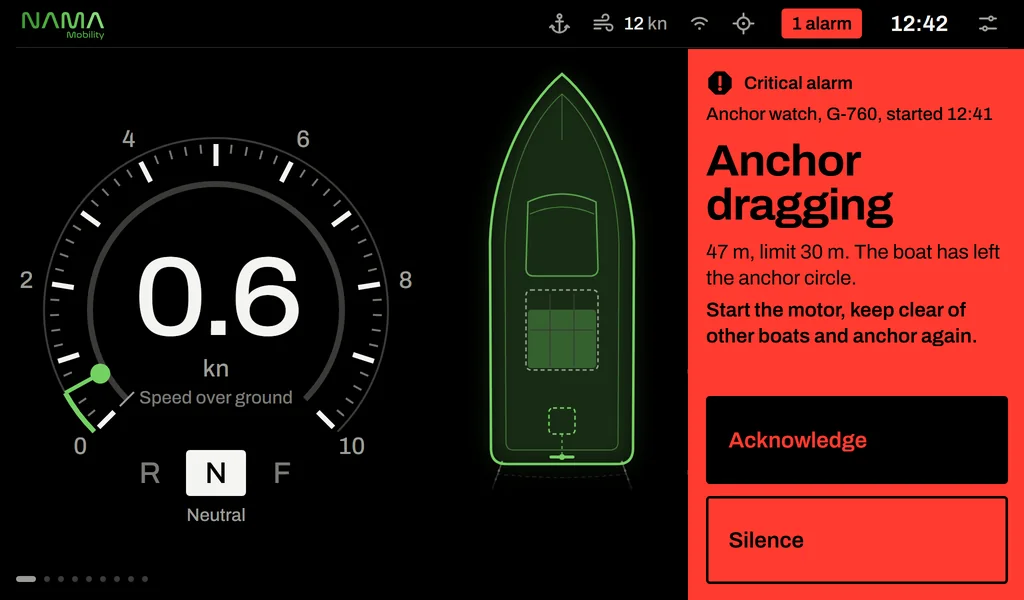
What happened, what the system did, what to do
Every alarm answers three questions. The problem is marked on the boat where it is; speed, power and direction are never hidden during an alarm.
- Four levels: critical, warning, caution, information
- Silencing and acknowledging are separate actions
- The physical ALARM key works even when the screen is locked
Colour palettes
Easy on your eyes at night.
Three palettes: day, dusk and night. The night palette is single-tone red with no white, protecting eyes that have adjusted to the dark.
- Switch with a long press on DIM, or automatically with ambient light
- Brightness steps with a single key
Drag the slider to compare the two palettes.
Design principles
A calm cockpit. Colour only when it has something to say.
Colour carries meaning
In normal running there is no colour on screen. Green appears only on the boat and its motion, amber only for warnings, red only for alarms. No state is shown by colour alone; there is always an icon or text alongside.
Readable from a distance
A clean, clearly marked speed dial, equal-width figures and a type scale limited to eight sizes. Layout never shifts as values change and numbers never flicker.
Wet hands, gloves on
Touch targets are at least 10 mm. Every action can also be done with physical keys; a touch lock against rain and spray is released with a physical key.
The controller has the final say
The display makes no safety decisions. Power limits, interlocks and ramps live in the motor controller and battery management system; the display tells you what the system did and what to do.
More
From cruising to charging, every screen you need.
Every boat runs the same software; the only difference is the boat configuration chosen at installation. A system that isn’t on board doesn’t appear on screen either.
Navigation
4 screens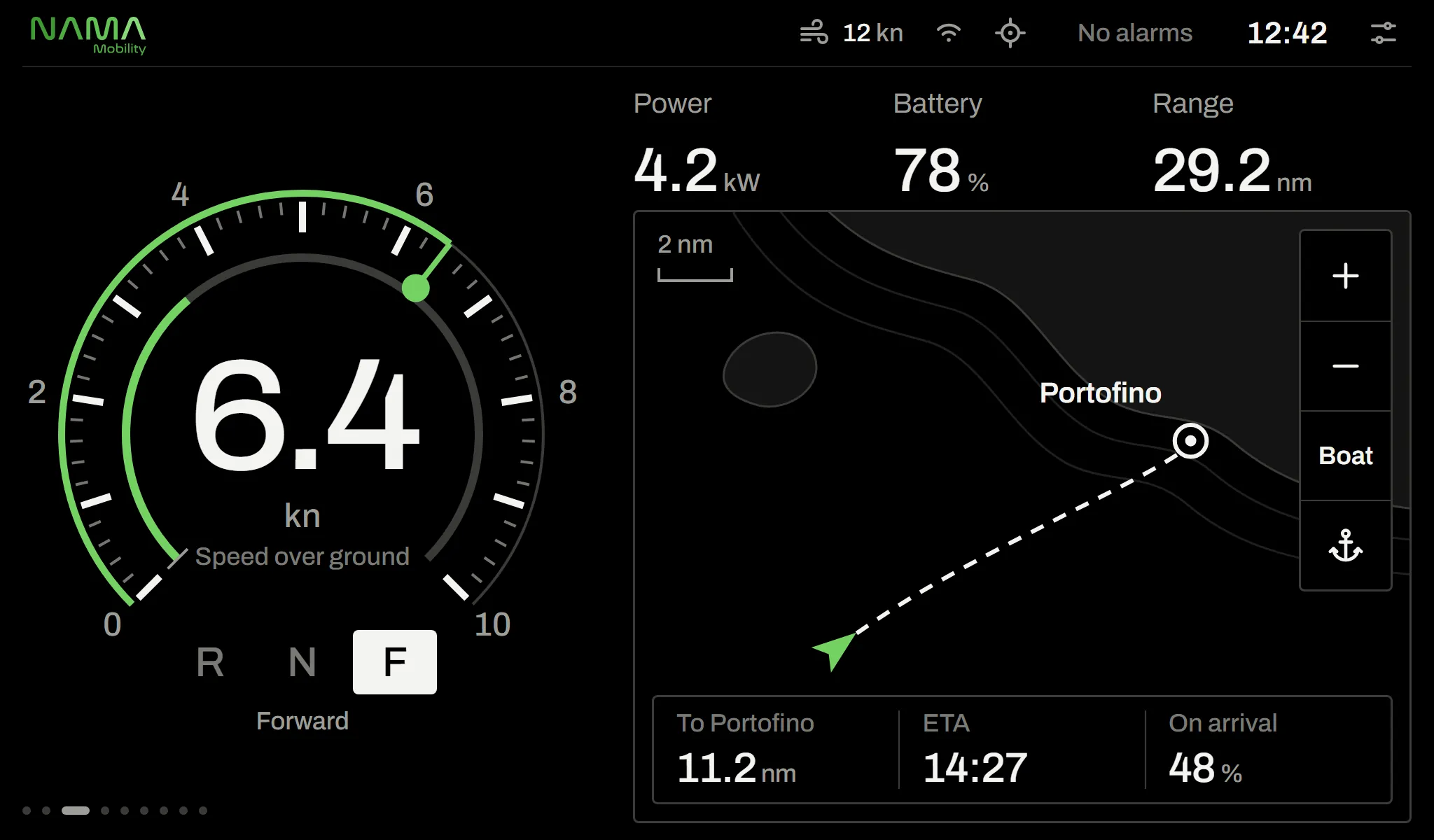
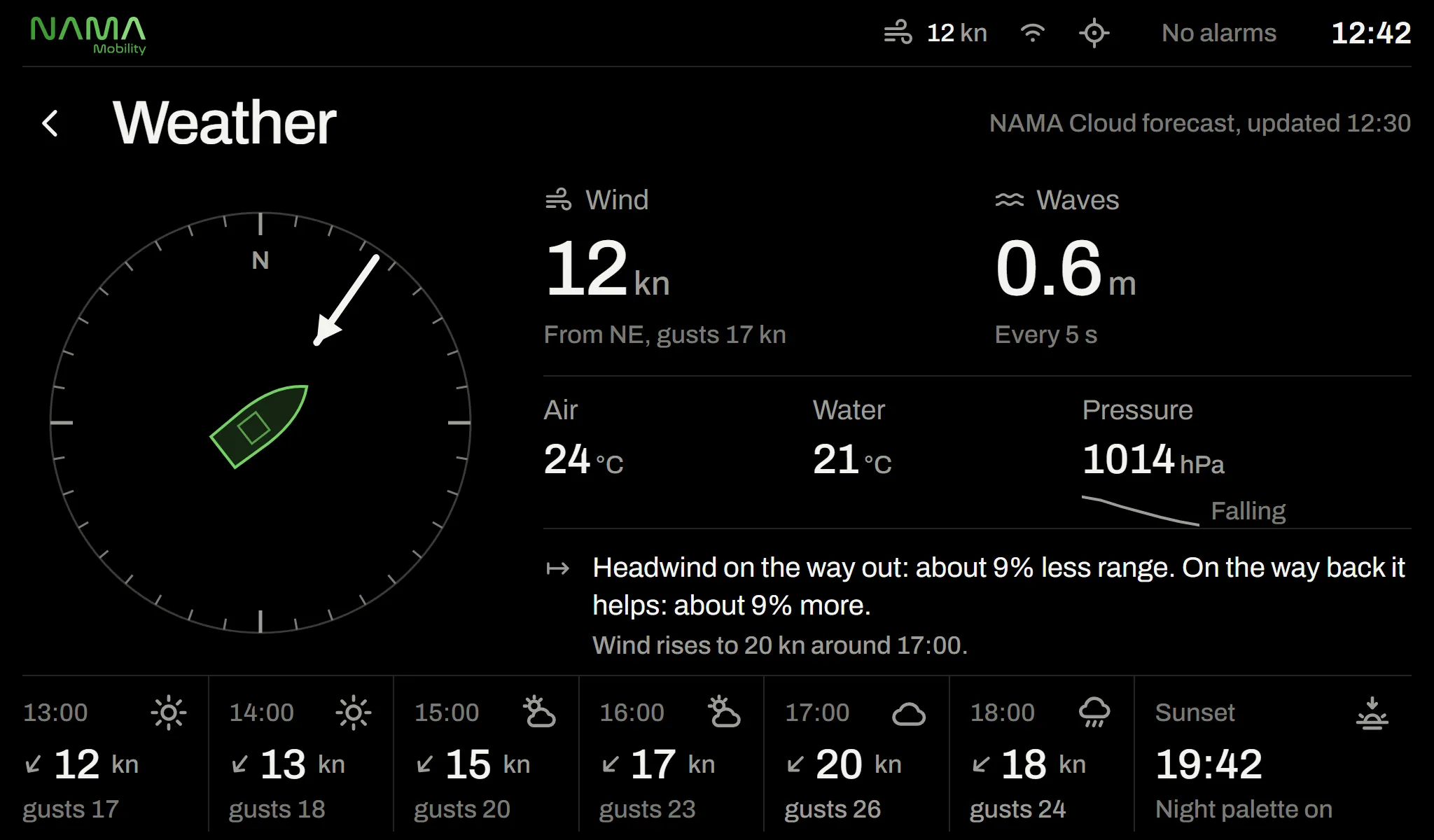
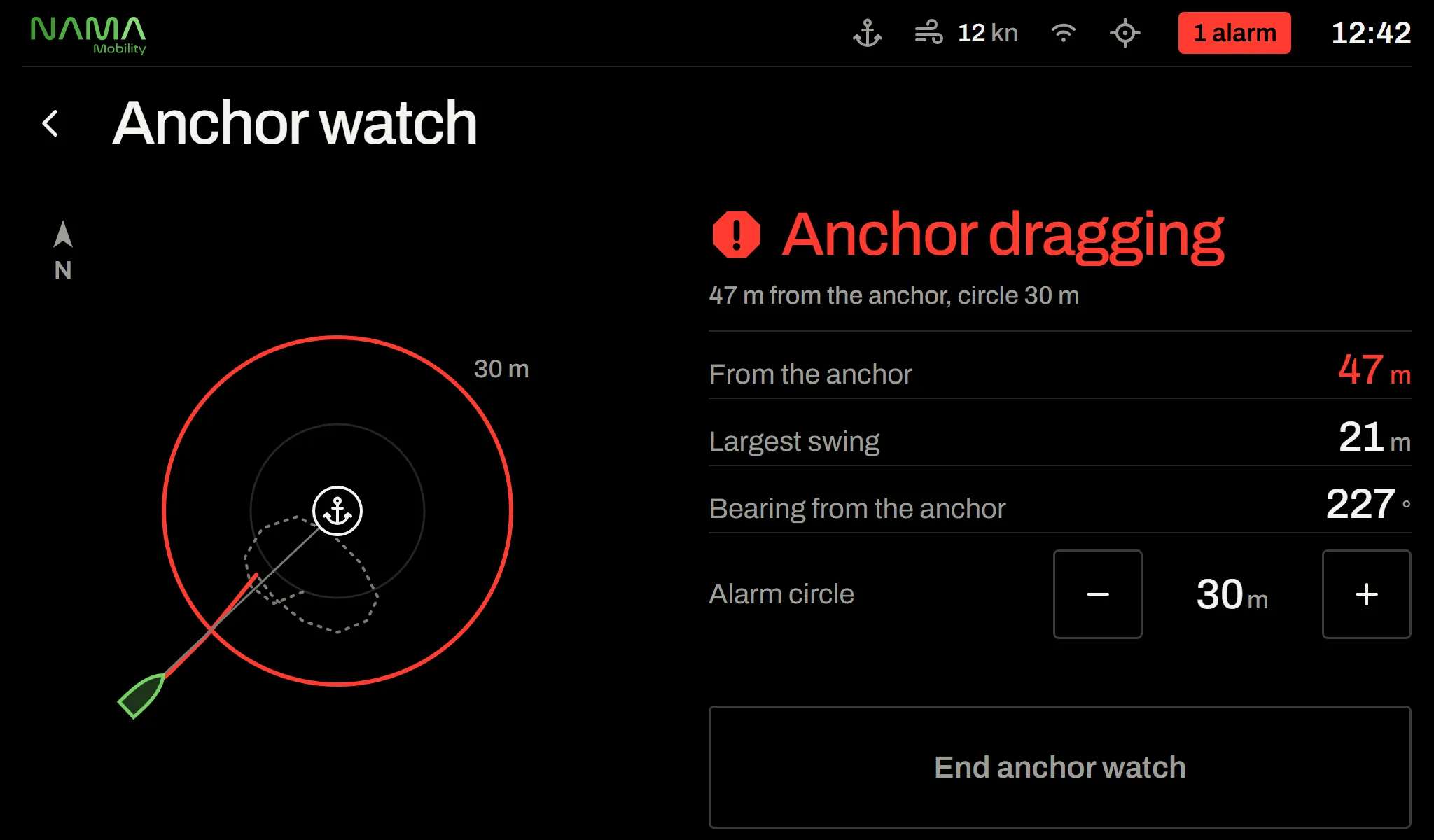
Energy
4 screens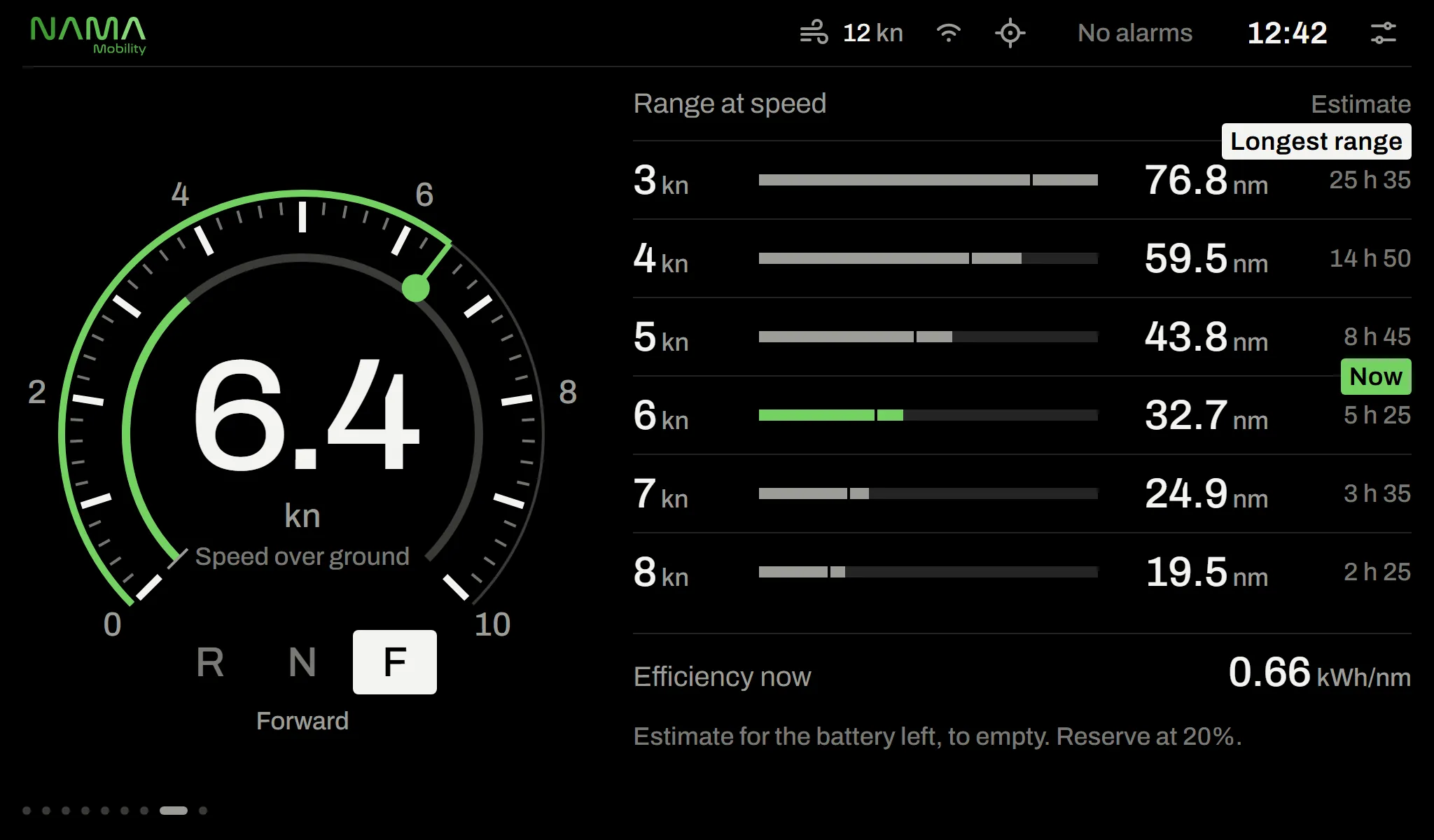
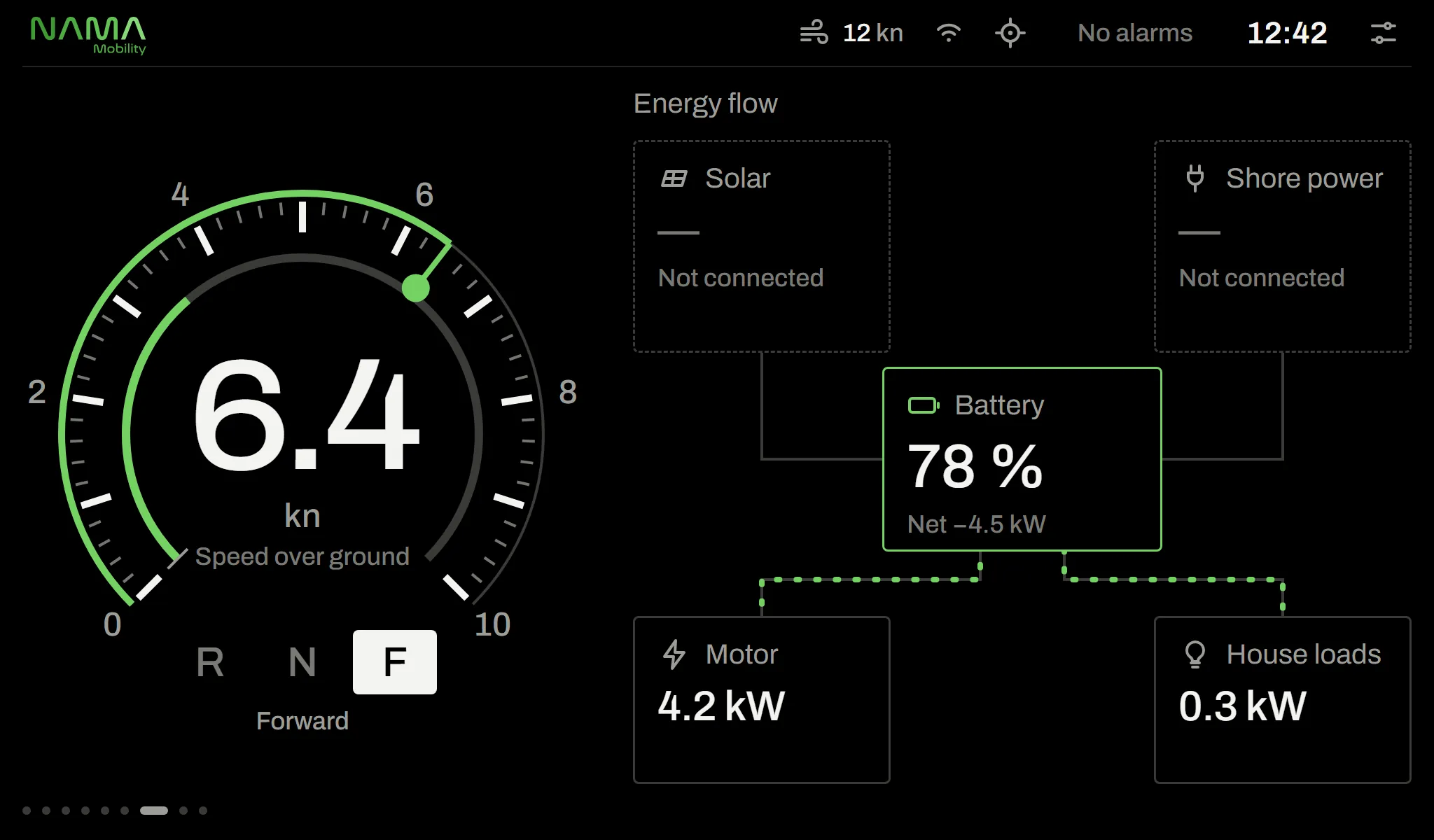
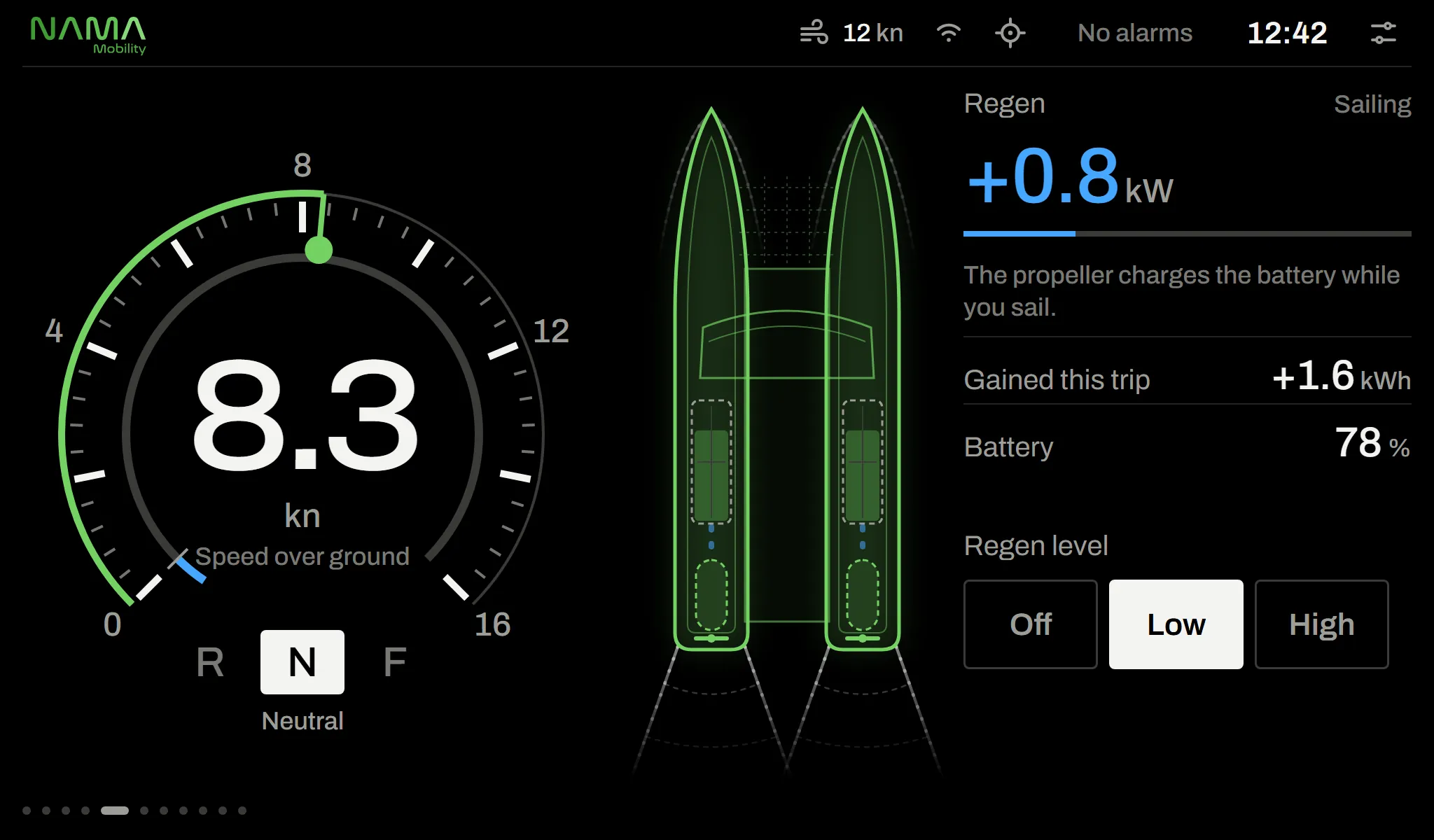
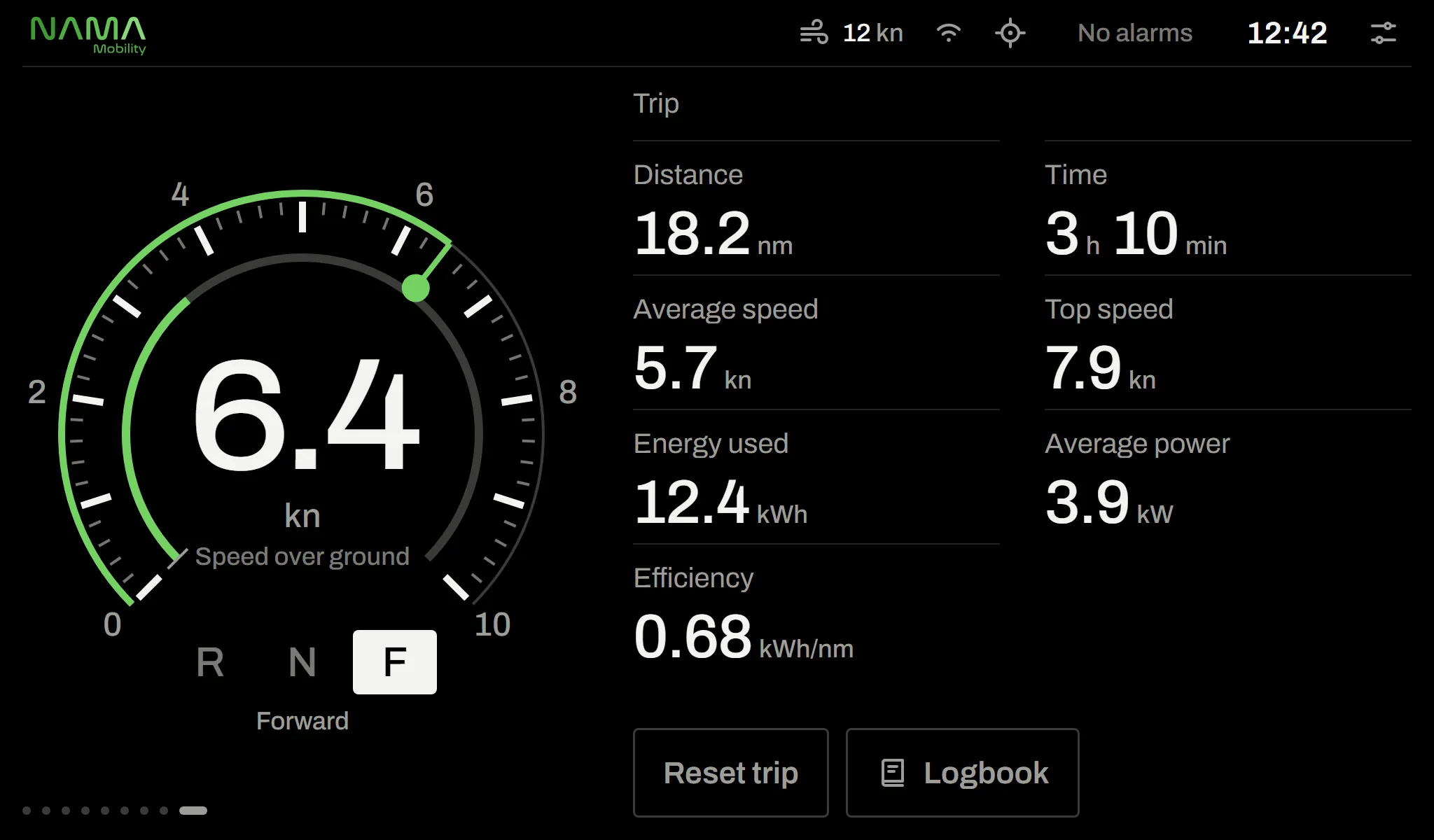
Connectivity and settings
4 screens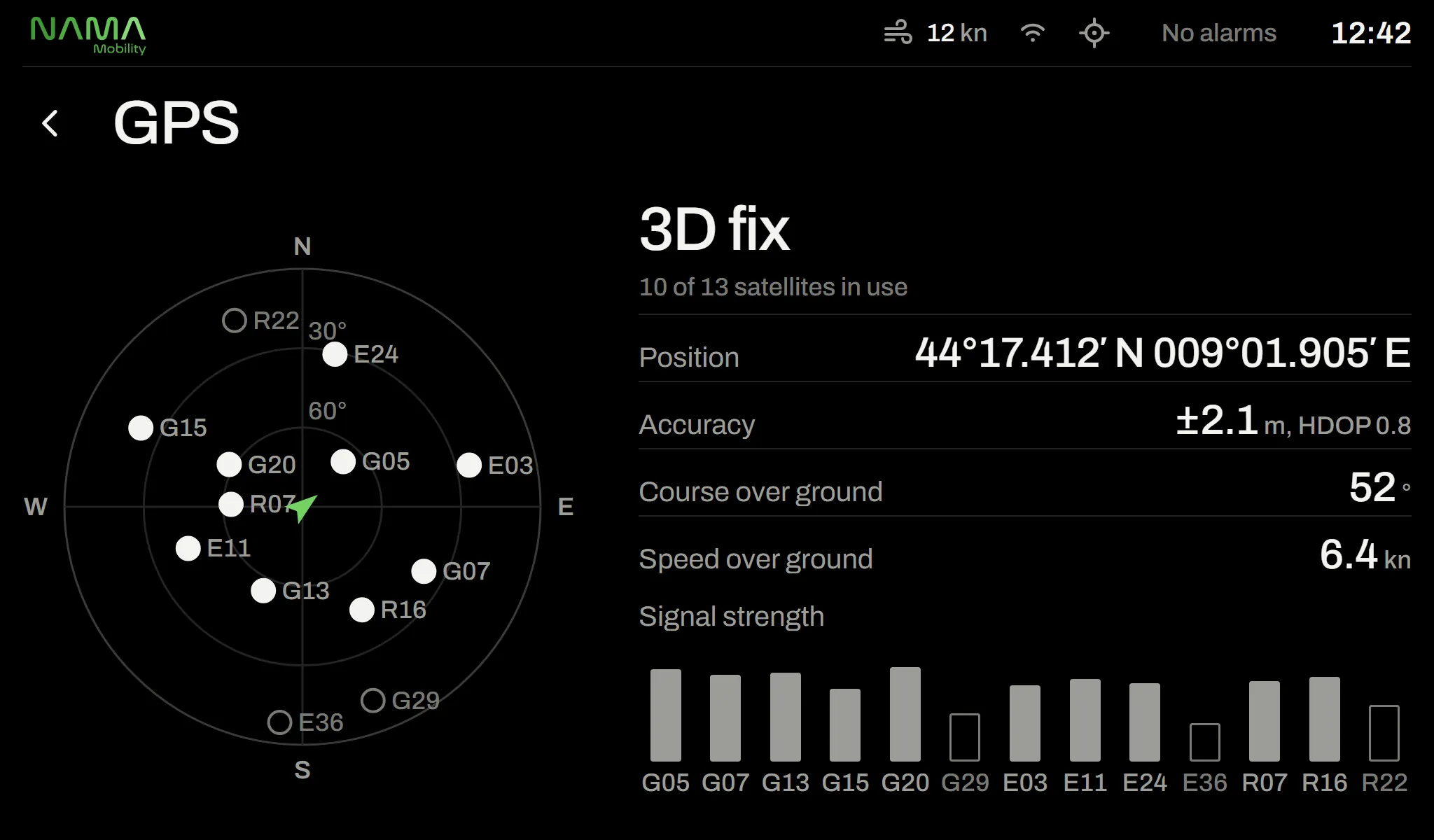
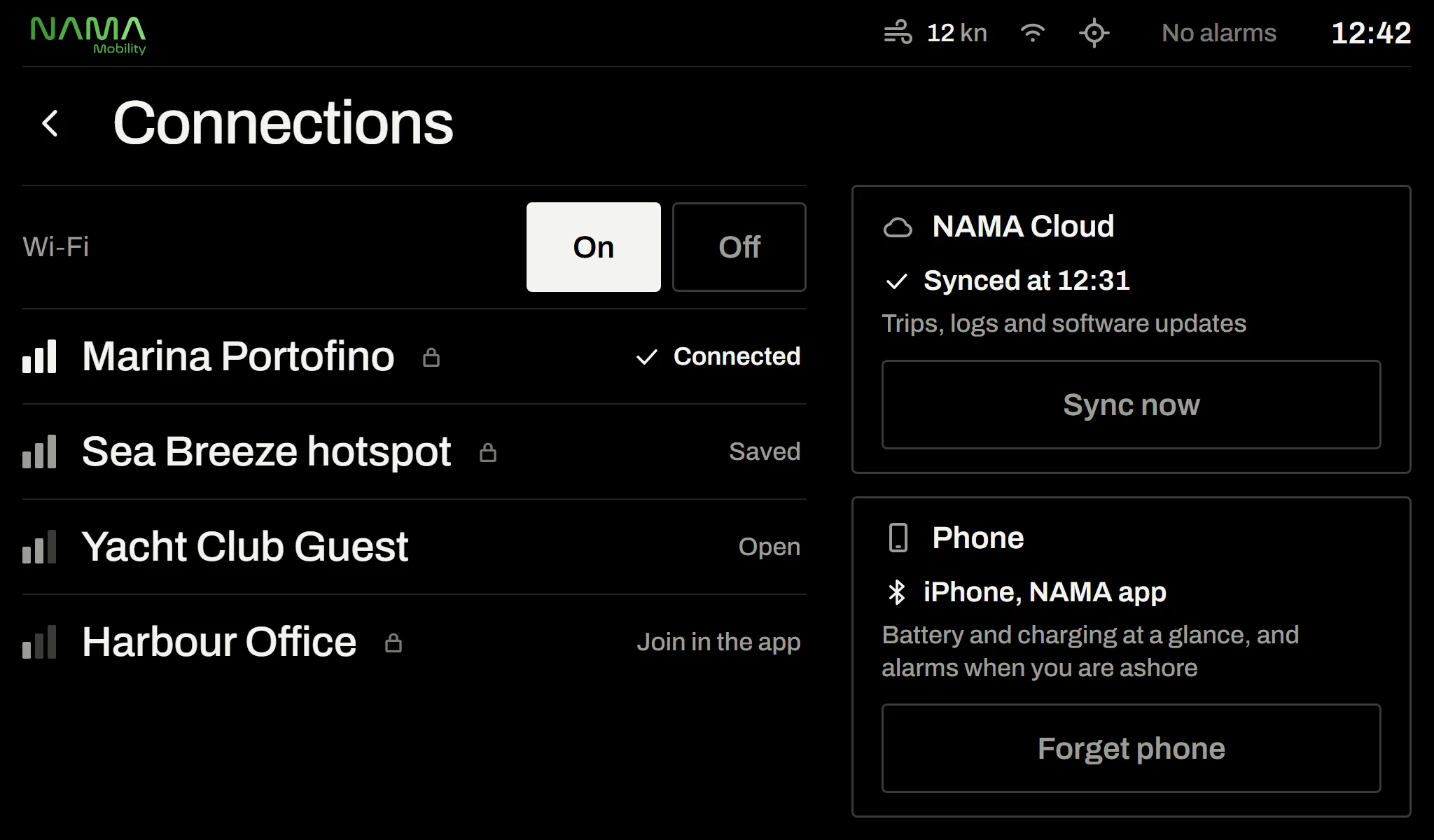
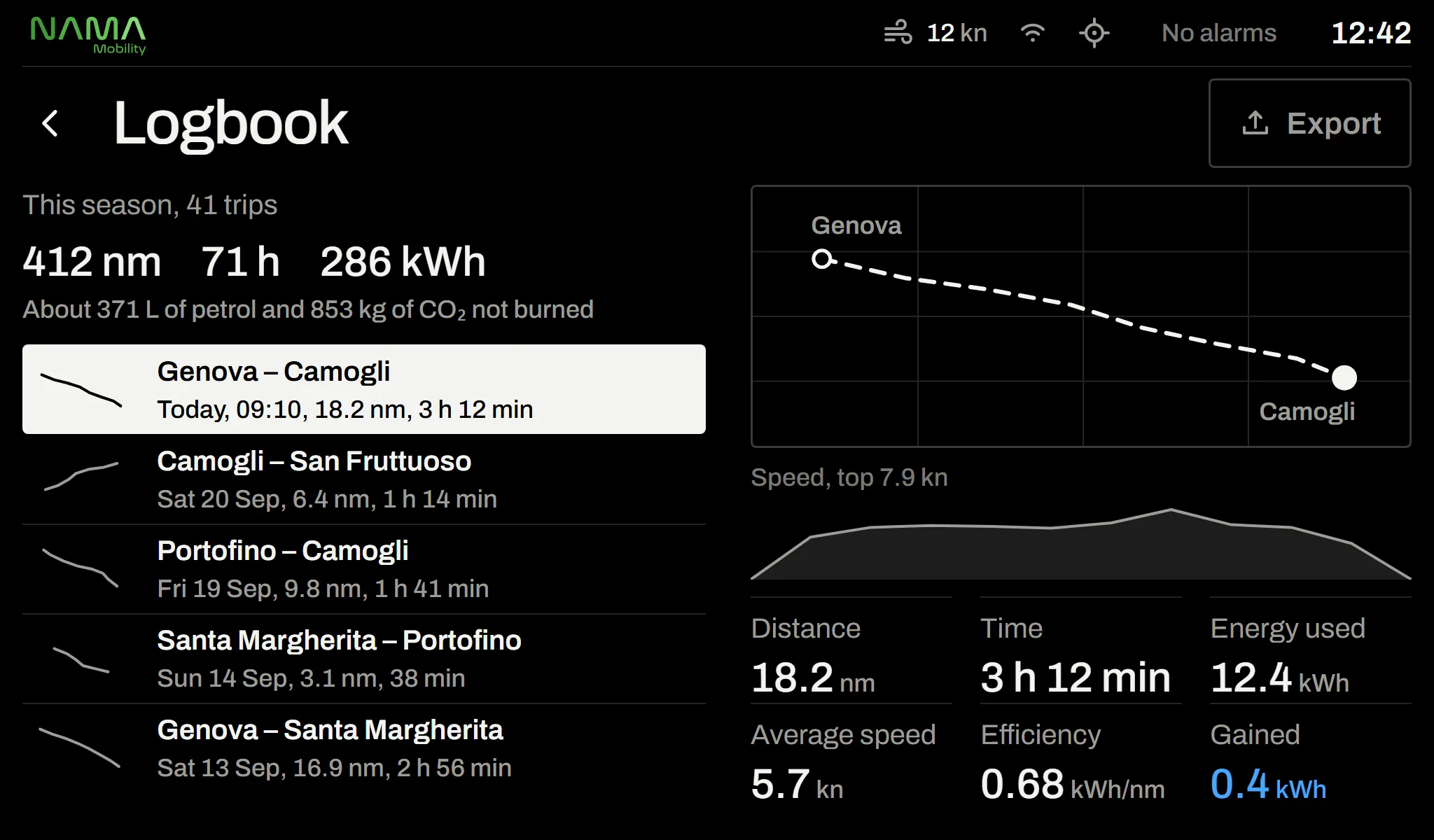
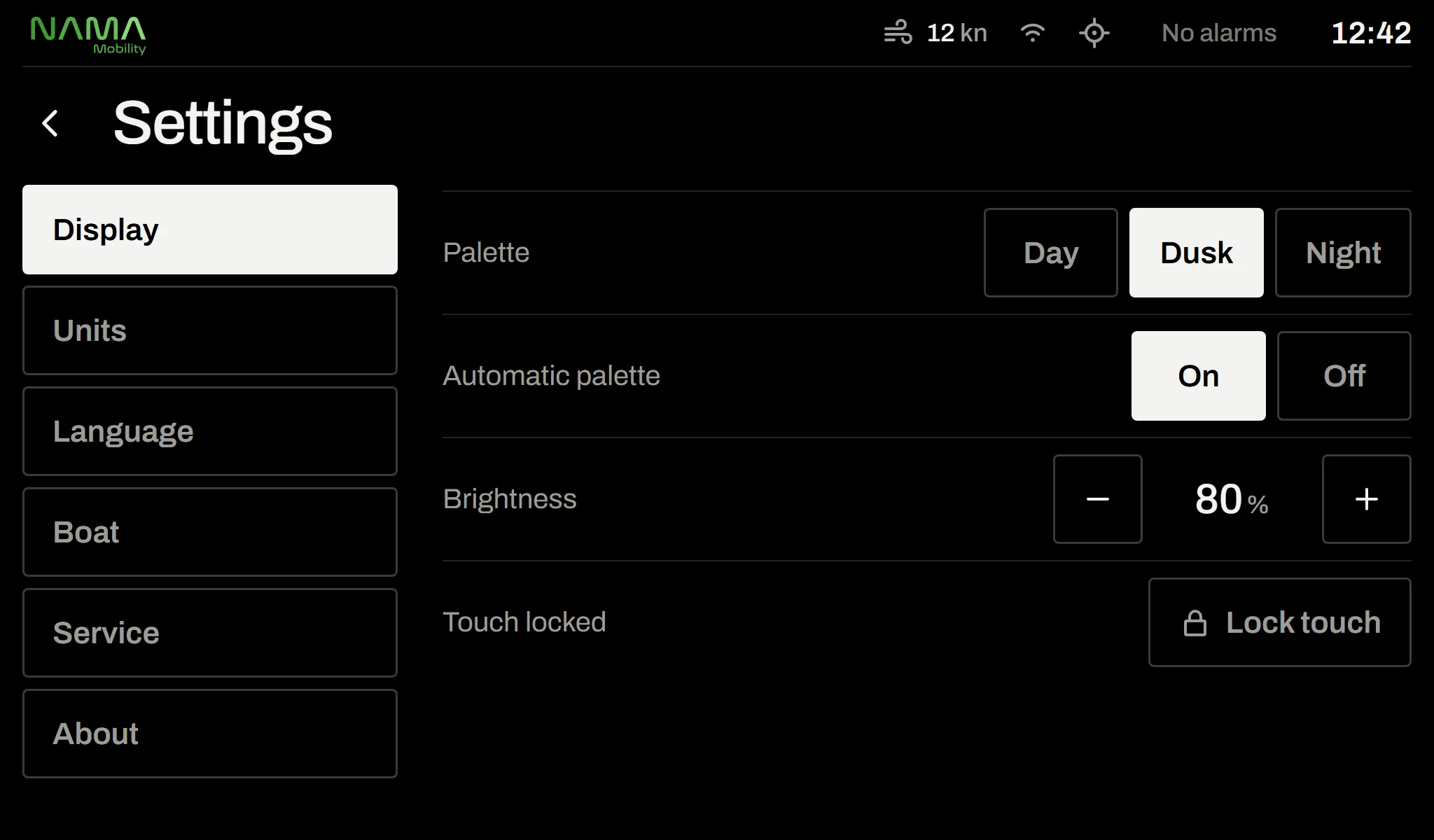
Some screens are enabled with later software updates. Screenshots are taken from the interface design; values are examples.
Model: CONTROL-DISPLAY
Technical specifications
- Display
- Responsive interface; works with most touchscreens of different sizes and resolutions
- Input
- Touchscreen and physical keys (page, enter, back, alarm, brightness, power)
- Data sources
- Motor, motor controller, BMS, charger, solar MPPT, throttle, GPS
- Pages
- Drive, throttle, battery, motor, charging, navigation, energy flow, range, trip, weather, anchor alarm, logbook, alarm centre, settings
- Alarms
- Critical, warning, caution and information levels; visual and audible alerts
- Palettes
- Day, dusk, night (single-tone red)
- Languages
- 14 languages: English, Turkish, German, French, Spanish, Italian, Portuguese, Dutch, Greek, Croatian, Swedish, Norwegian, Danish, Finnish
- Connectivity
- Wi‑Fi, NAMA Cloud sync, phone pairing
- Compatible systems
- New Stream INB, OUT, POD, SAIL, STERN · 8–25 kW · single or twin motor
- Setup
- First-run wizard (language, units, time, boat name), commissioning for technicians
Electric boat control display
A smart helm display for electric boats
The Nawis Marine boat control display brings every parameter of your electric boat motor and energy system together in one touch interface. Information from the motor, motor controller, battery management system (BMS), charger, solar charge controller, throttle and GPS is monitored in real time.
Speed over ground, live power (kW), battery state of charge, estimated range and time left are read at a glance on the drive screen. The battery page shows voltage, current, temperature, battery health and cell difference; the motor page shows rpm, motor and controller temperatures and running hours. When a problem occurs in the lithium battery or the motor, the display gives audible and visual alerts and states clearly what happened, what the system did and what you need to do.
Applications:
Suitable for electric excursion boats, yachts, catamarans, sailing boats and commercial vessels. It works with New Stream inboard, outboard, pod, saildrive and stern drive systems, single or twin motor.
FAQ
Frequently asked questions
Which motors does the boat control display work with?
It works with every New Stream INB, OUT, POD, SAIL and STERN model from 8 to 25 kW, on single- and twin-motor boats. The boat configuration is chosen at installation; a system that isn’t on board doesn’t appear on screen.
What size is the display?
The interface is responsive and works with most touchscreens of different sizes and resolutions. The screen is chosen to suit your boat’s console.
What information does the display show?
Speed over ground, direction (forward / neutral / reverse), live power, battery state of charge, estimated range and time left. The battery page shows voltage, current, temperature, battery health and cell difference; the motor page shows rpm, motor and controller temperatures and running hours. There are separate screens for charging, alarms, navigation and weather.
Is the screen too bright at night?
No. The night palette is single-tone red with no white, protecting eyes adjusted to the dark. It switches with a long press on DIM or automatically with ambient light.
Can I use the throttle from the screen?
Yes. Alongside the physical lever, throttle can also be used from the screen. Forward to reverse never happens in one move, “Neutral” is always one touch away, and moving the physical lever hands control back to it automatically.
Which languages does the display support?
It supports 14 languages: English, Turkish, German, French, Spanish, Italian, Portuguese, Dutch, Greek, Croatian, Swedish, Norwegian, Danish and Finnish.


Technical Support and Consultation
Contact our expert team to determine the most suitable boat control display for your boat’s needs.